Driver App
The delivery app your drivers will actually use.
A native iOS and Android app that gives each driver their full day — stop list, navigation, and one-tap job management. No paper. No calls. No confusion.
App Store
iOS
Google Play
Android
Free for all drivers on any paid plan. No separate license needed.
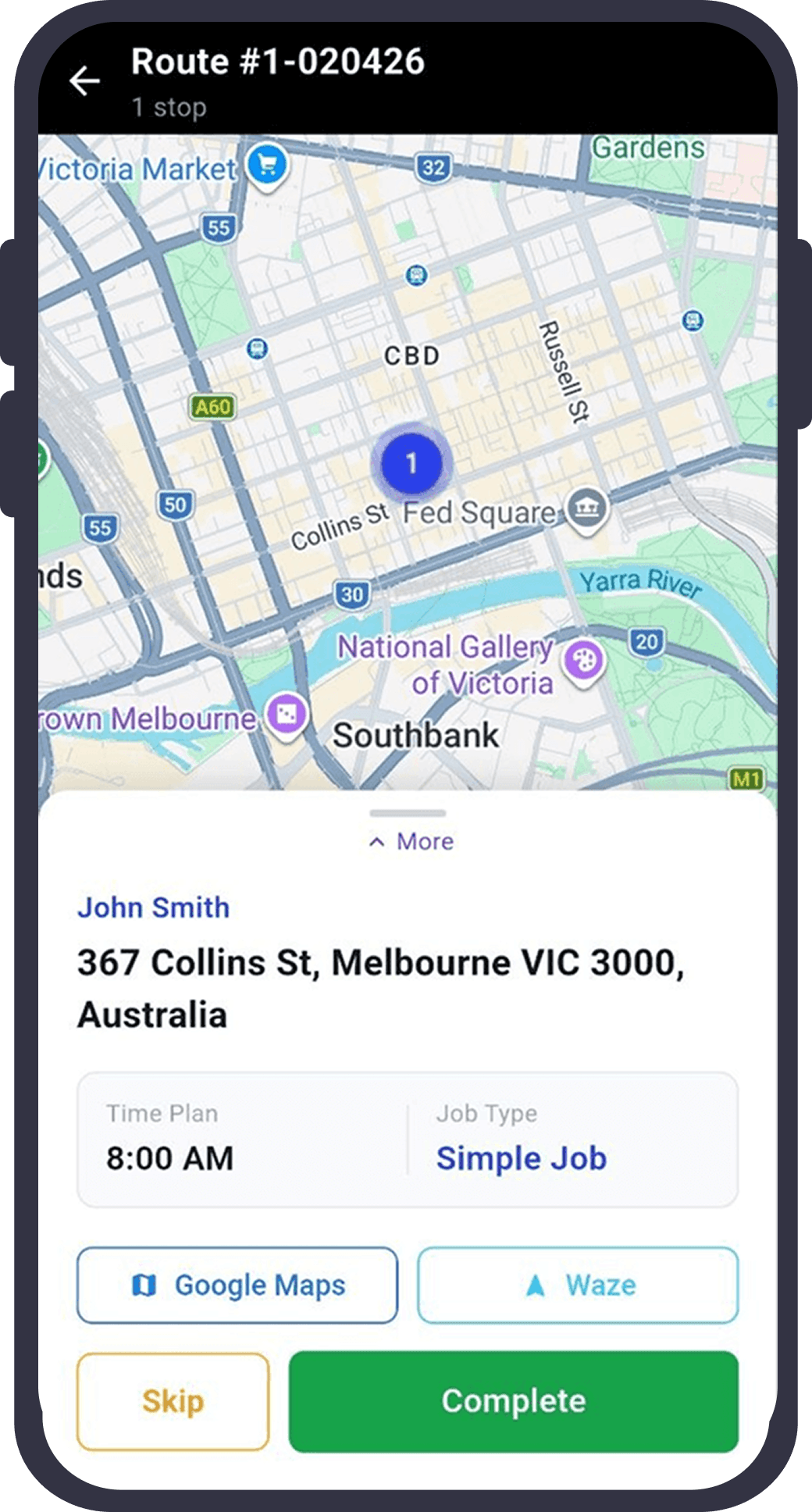
Everything a driver needs. Nothing they don't.
Fast. Simple. Works with bad signal.
Turn-by-turn navigation
Google Maps navigation built in for each stop. Drivers tap "navigate" and go — no copy-pasting addresses.
One-tap job management
Start, skip, or complete each job with a single tap. Skipped jobs can be revisited at the end of the route.
Digital signatures
Customer signs directly on the driver's phone screen. Captured, timestamped, and attached to the job instantly.
Delivery photos
Take a photo of the delivery in-app. Uploaded immediately to the cloud — tied to the job with GPS and timestamp.
Background GPS tracking
Location updates every 30 seconds, running silently in the background. No battery tricks — the app is efficient by design.
Works offline
GPS and job updates buffer locally when signal drops. Everything syncs automatically when connection returns — no data lost.
A driver's day in Routizer
From login to last drop — here's what the driver sees.
Log in and see today's routes
The app opens to a list of assigned routes for the day. Each route shows stop count, estimated time, and vehicle info.
Complete the pre-route checklist
Before starting, drivers tick off the checklist — vehicle checks, load verification, safety items. Set by the dispatcher.
Navigate stop by stop
Google Maps navigates to each stop in sequence. The driver can see all upcoming stops on the route map.
Complete each job
Tap to mark a job done. If required, capture a signature or delivery photo first. Skipped jobs can be re-visited.
Route complete
When all jobs are done, the route is marked complete. The dispatcher sees it live on the dispatch board.
Ready?
Stop managing by phone.
Start running real routes.
Set up in under an hour. Your drivers are on the road — Routizer keeps everything else in order.
Free 14-day trial · No credit card · Cancel anytime